Analog Photography Assistant (APA) is a free, ad-free, privacy-first android app for film photographers. I have just released v1.3.0 with a bunch of new features and updates. The greatest hits are listed below, otherwise read the changelog for more detailed notes.
Light Meter
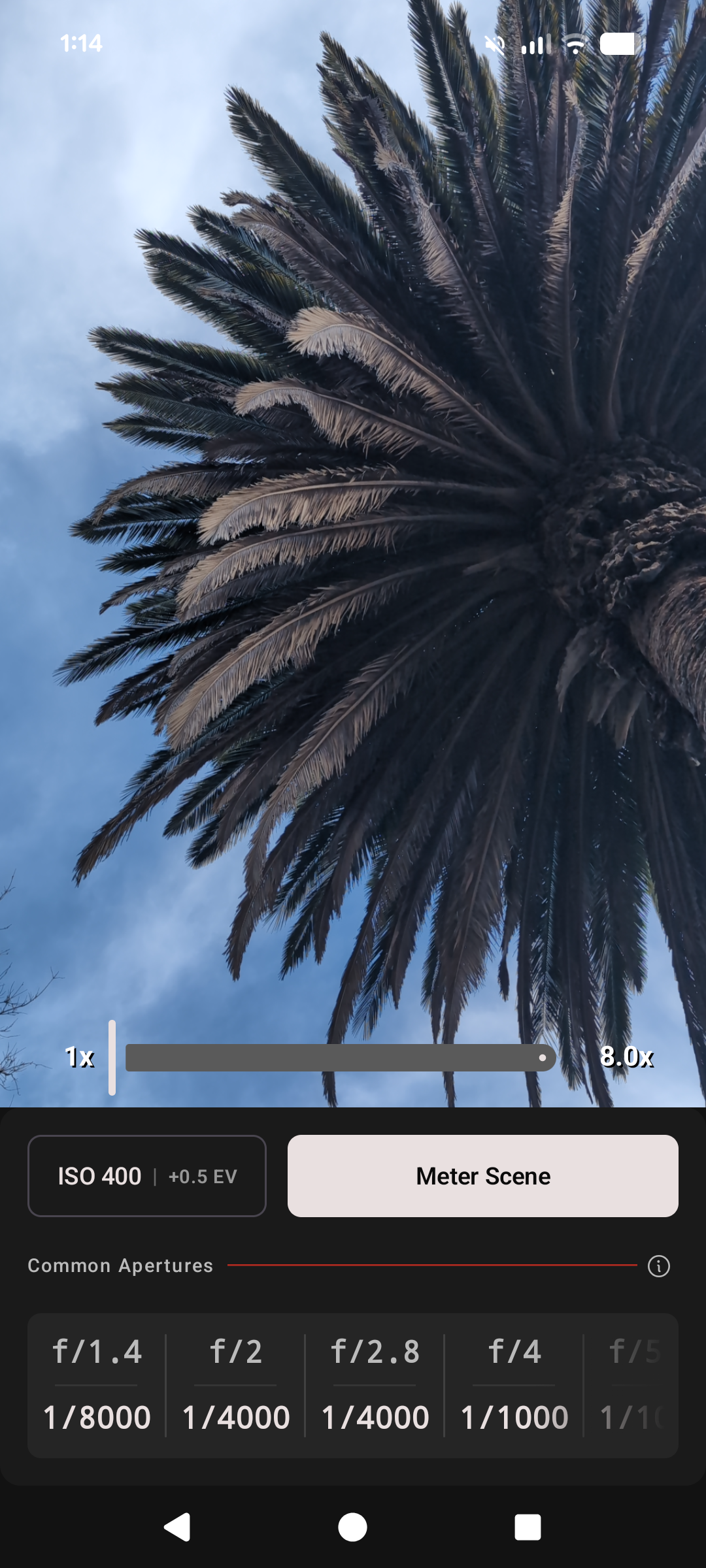
Aperture Sets and Exposure Compensation have been added to the Light Meter.
Aperture Sets allow you to define named collections of f-stops you want to see in the light meter. This came about as a feature request from an APA user who wanted to meter for their pinhole camera. During development I added f/256 and f/512 to the list of apertures displayed in the light meter, but it seemed like the wrong UX because no 35mm or medium format shooter would ever use those values. The next iteration was to allow the user to edit the list of f-stops displayed, but that had a predictably similar problem for multi-format shooters.
I settled on the concept of Aperture Sets. Users create named sets of apertures for each of the camera systems or lenses they shoot on. Only one Aperture Set is active, meaning it’s displayed in the Light Meter. This results in the APA Light Meter only showing the user the information they can act on. A default aperture set ships within APA, which will suit the needs of most 35mm shooters. I’ve defined one set of common apertures for the lenses I shoot on my Nikon 35mm camera, and another set for the Hasselblad V System medium format lenses.
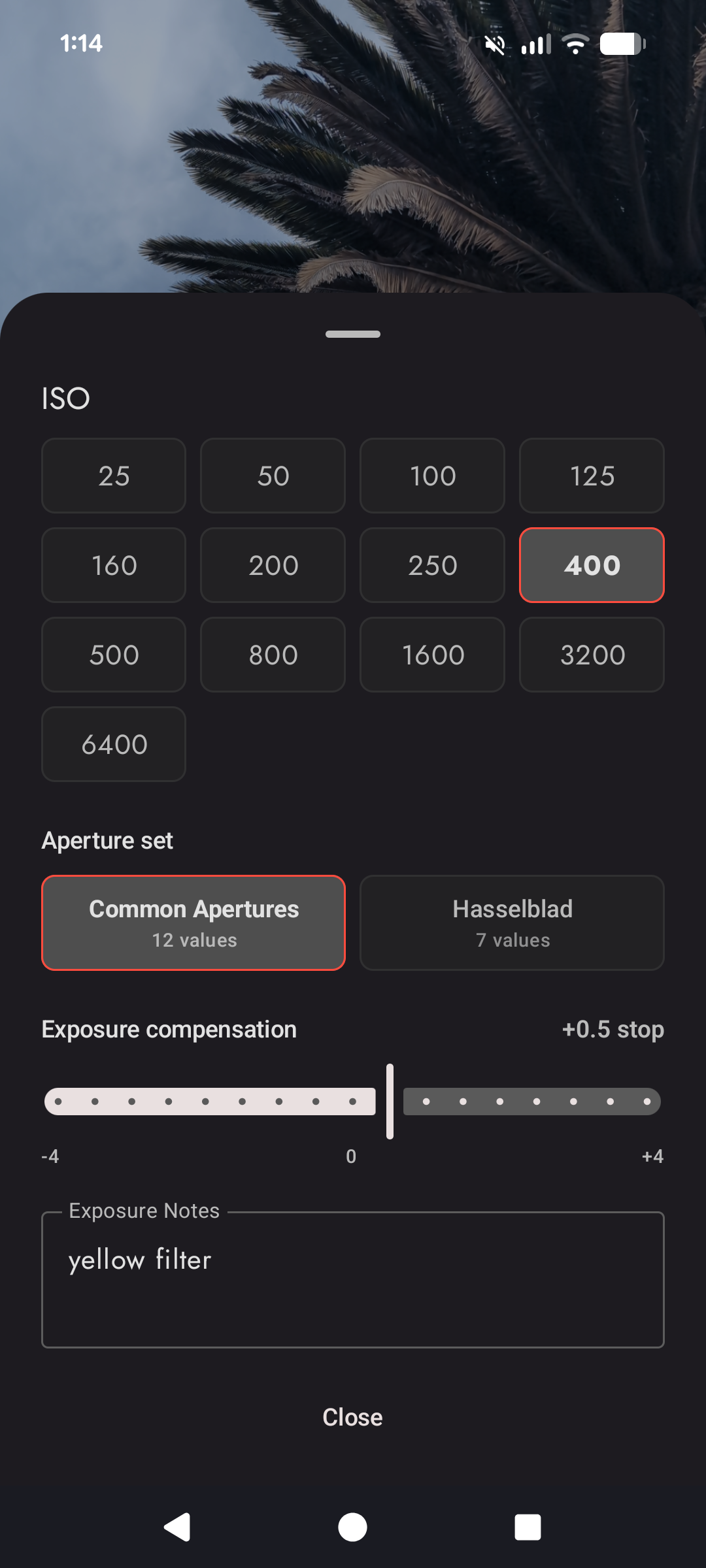
Exposure Compensation, with an optional notes field, has also been added to the Light Meter. Exposure Compensation is par for the course on electronic film cameras. Aside from the standard uses of adjusting for filters, or intentionally deviating from the metered exposure to adjust for lighting conditions, it can also be used to calibrate/compensate the APA Light Meter to a different light meter. The notes field is there to record not only what and why you used EC, but also to remind yourself when you need to use it.
Reciprocity Failure Calculator
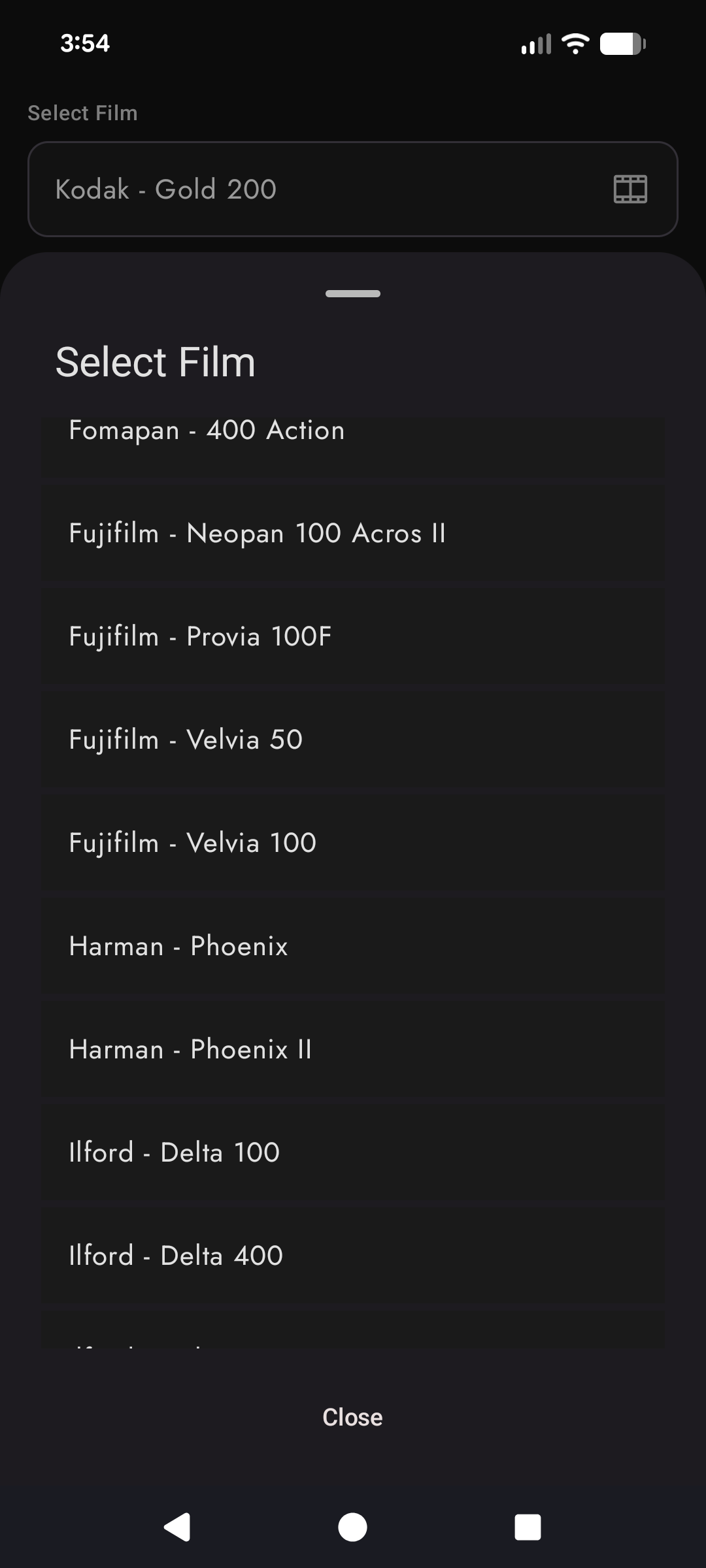
By request, I’ve added a bunch more films.
Fomapan
- 100 Classic
- 200 Creative
- 400 Action
Fujifilm
- Neopan 100 Acros II
- Provia 100F
- Velvia 50, 100
Harman
- Phoenix, Phoenix II
Kodak
- Ektacolor Pro 160, 400, 800
- Ektapan 100, 400, 3200
- Kodacolor 100, 200
Rollei
- RPX 25, 100, 400
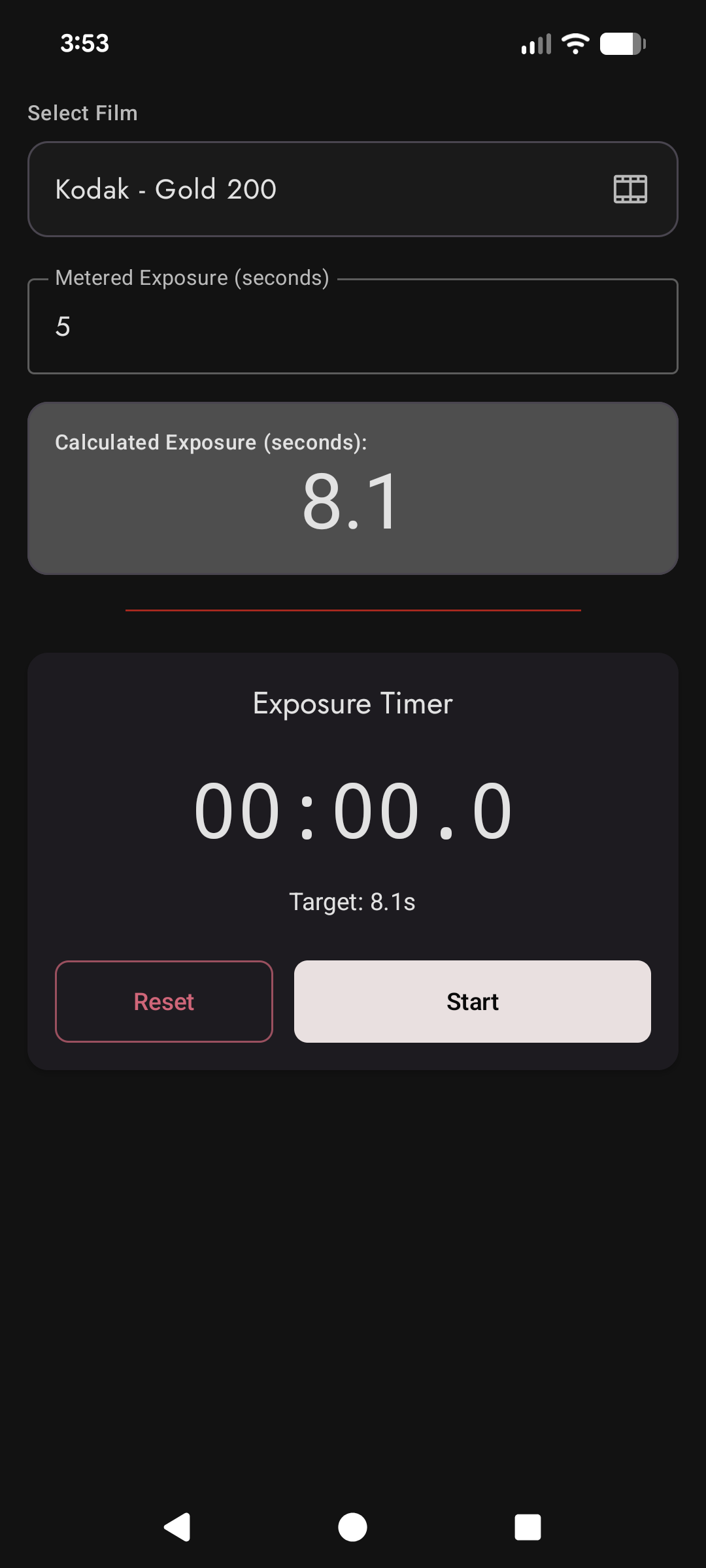
I’ve also improved the reciprocity failure algorithm so that it is accurate to manufacturer datasheets (where they publish). APA will now display a message if you are attempting to calculate a exposure that is outside of what a manufacturer officially supports, but will extrapolate from the exposure formula to give you a best-effort result.
An example of this is Fujifilm Velvia 50. The longest exposure value on the Velvia datasheet says that a scene metered for 32 seconds should be exposed for 64 seconds, taking into account reciprocity failure. If you metered a scene that had a 40 second exposure, APA will display a warning, but also extrapolate and provide an 86 second exposure, extrapolated from data in the Velvia datasheet. The data structure I use in code is:
FilmReciprocityProfile(
    "Fujifilm - Velvia 50",
    ReciprocityRule.ExposureTable(
        points =
            listOf(
                ExposurePoint(1.0, 1.0),
                ExposurePoint(4.0, 4.0 * 2.0.pow(1.0 / 3.0)),
                ExposurePoint(8.0, 8.0 * sqrt(2.0)),
                ExposurePoint(16.0, 16.0 * 2.0.pow(2.0 / 3.0)),
                ExposurePoint(32.0, 64.0),
            ),
        outsideRangeWarning = ReciprocityWarning.ManufacturerNotRecommended,
        warningAtOrAboveMeteredSeconds = 64.0,
    ),
    FUJIFILM_VELVIA_50_SOURCE,
),
Download APA on the Play Store or read more on the app website .